Summit
See the whole company from the top.
A desktop-first business operating platform built for executive clarity. One premium surface for priorities, financial signals, approvals, team status, and workspace updates.
See the whole company from the top.
A desktop-first business operating platform built for executive clarity. One premium surface for priorities, financial signals, approvals, team status, and workspace updates.
Finance lives in one place. Approvals in another. Employee data somewhere else. Updates in chat. Leaders lose hours every week stitching context across disconnected systems before they can make a single confident decision.
Summit brings priorities, financial control, approvals, team visibility, and workspace updates into one calm desktop interface — designed for the operator at the top.
Every surface is designed for clarity before action. No noise. No fake intelligence. Just the information leaders need, where they need it.
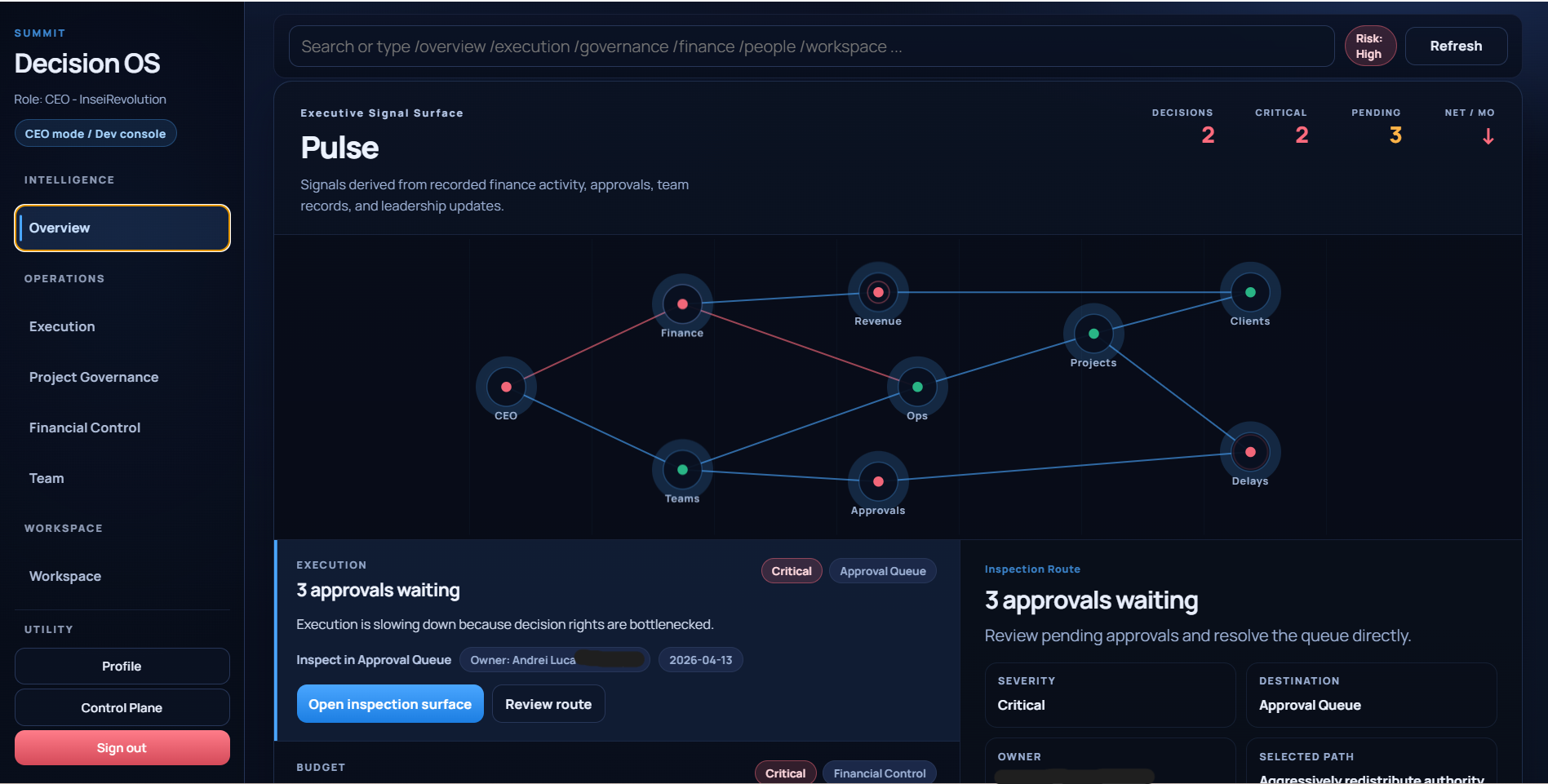
Top priorities, daily brief, financial signals, and team capacity rendered as a live network. Critical nodes pulse when action is required. Everything is derived from recorded data — nothing is fabricated.
Pulse Network — live signal mapping of finance, approvals, teams, and operational risk.
Import finance entries via CSV or quick capture. Reserve assumptions, burn averages, runway estimates, and payroll load update from recorded data. Monthly close status tracks each period through completion.
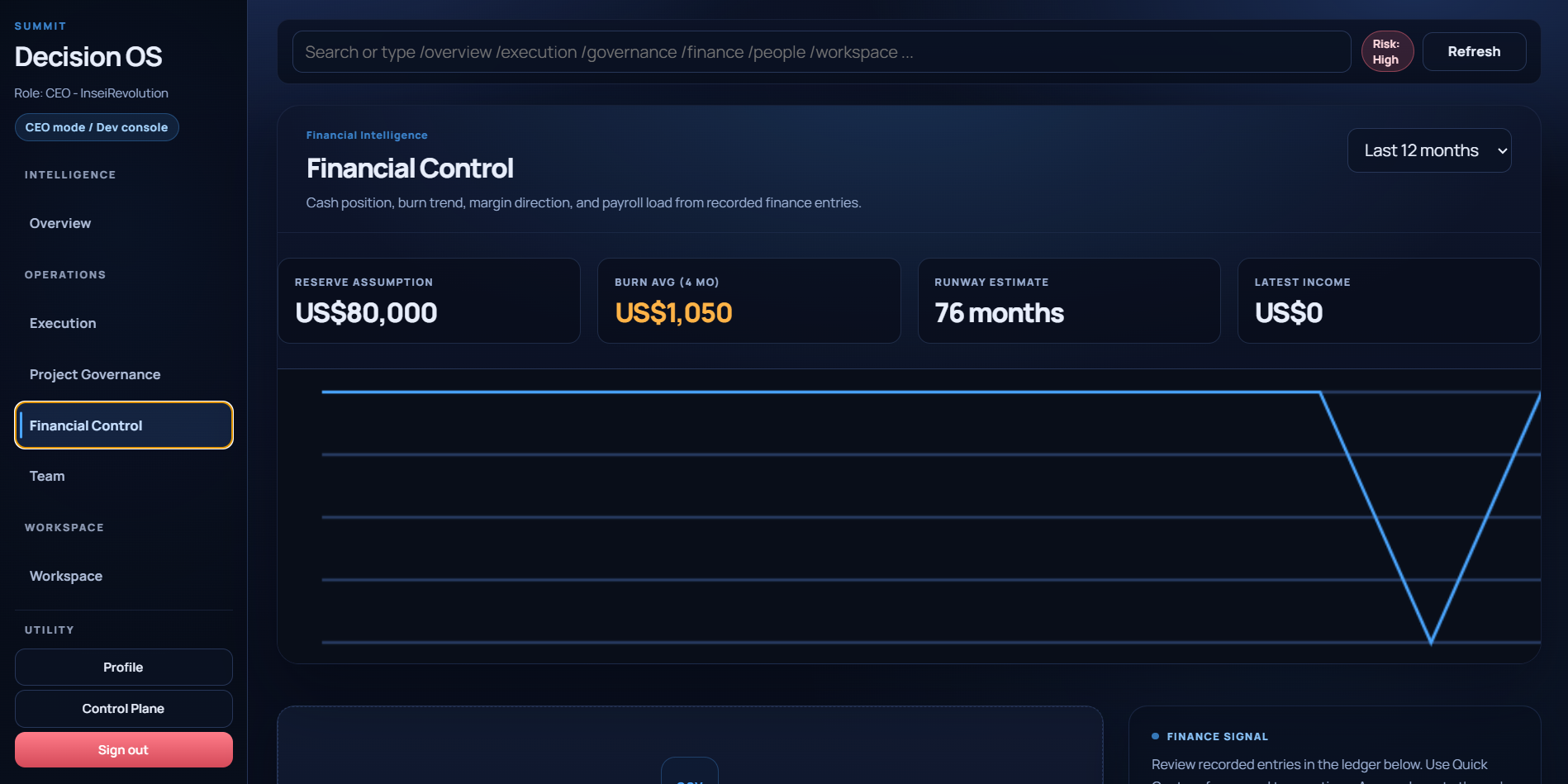
Financial intelligence — KPIs, 12-month trend, and recorded ledger activity.
When Summit detects a critical signal, it surfaces response paths with projected impact, runway delta, and margin risk. The CEO selects a path, assigns an owner, and sets a checkpoint date. Nothing drifts.
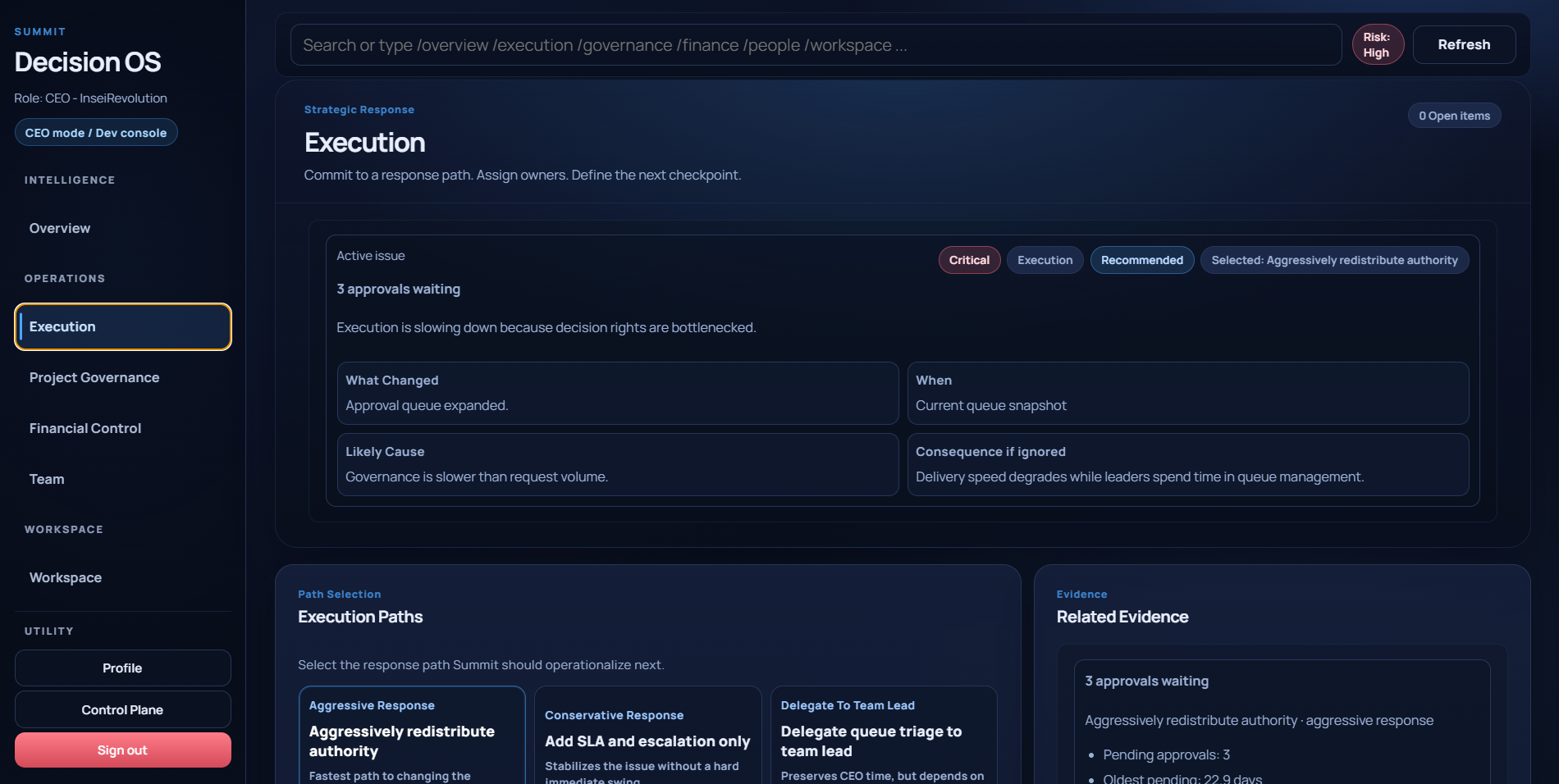
Strategic response — causal breakdown, path selection, and projected outcomes.
Every team member has a profile and dossier. Roles control what each person sees. Onboarding is invite-only — no public registration. Salary data is visible only to roles with clearance.
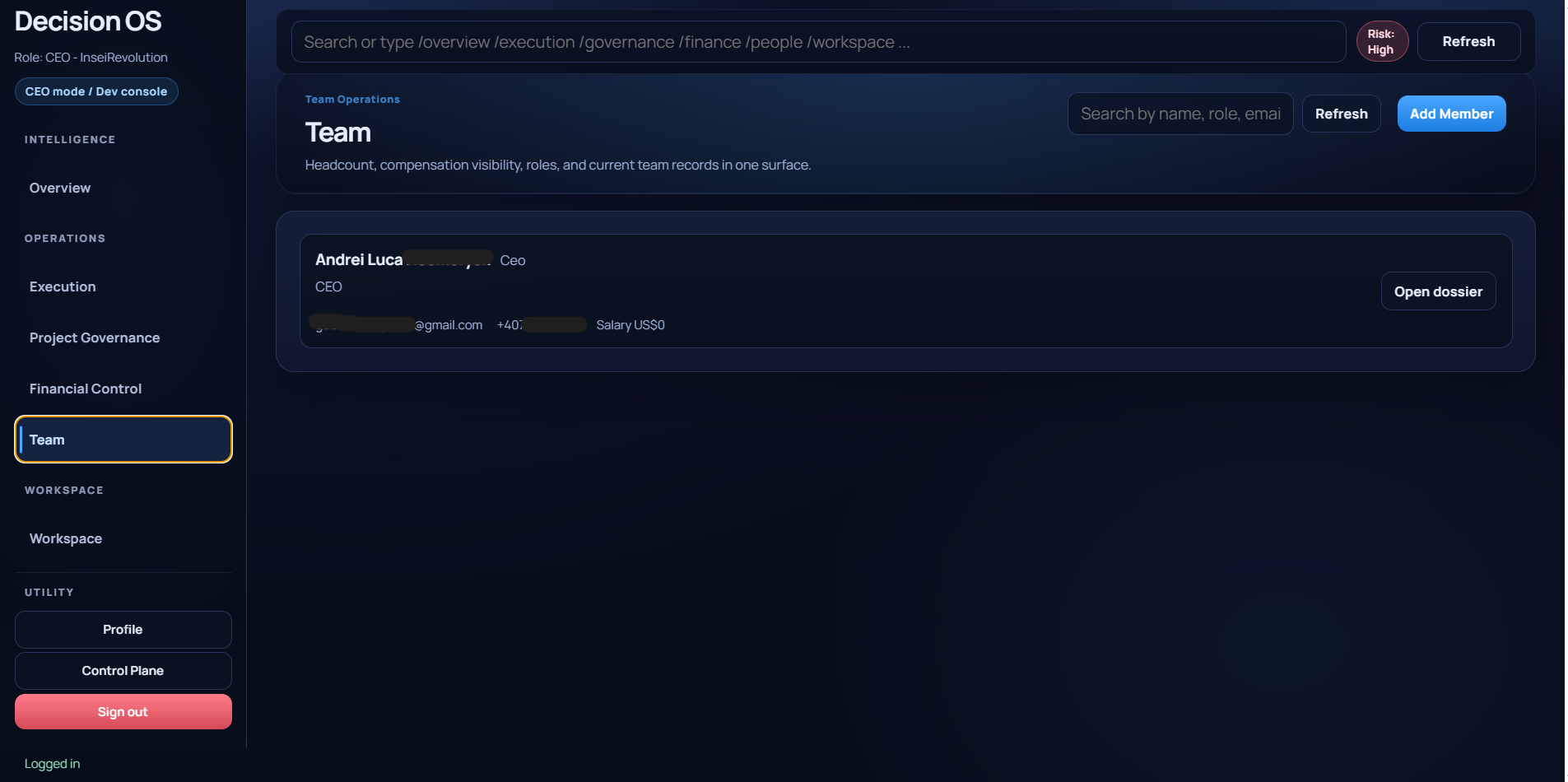
Team directory — role-aware profiles, dossiers, and controlled visibility.
Announcements, project governance documents, and workspace updates live in one shared surface. Versioned records ensure decisions are traceable. The workspace is the company's operating memory.
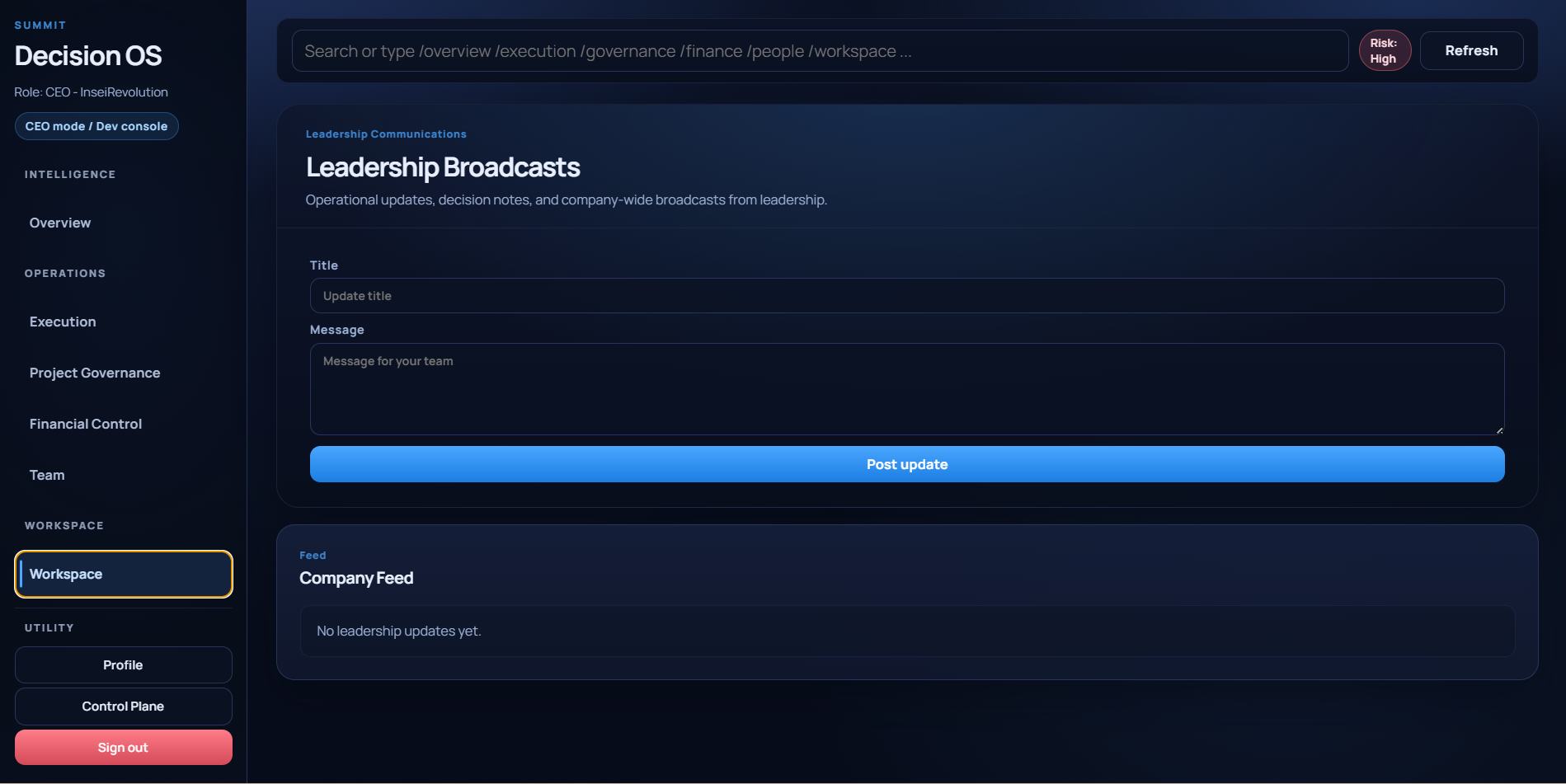
Workspace — announcements, updates, and shared operating context.
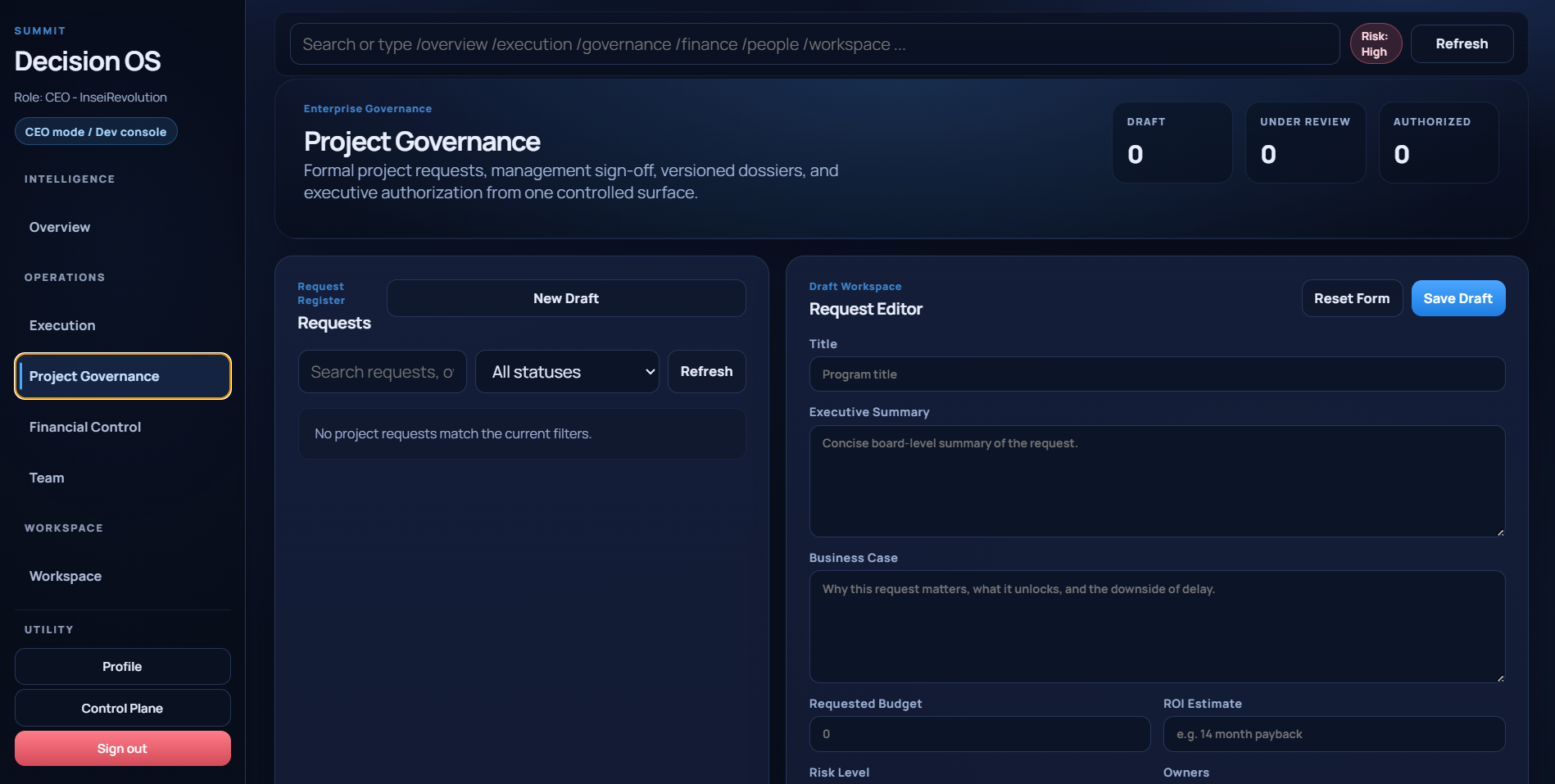
Project governance — versioned records of decisions and signed operating context.
A separate surface for admin and support access: user lookups, organization management, permission overrides, and audit records. It is isolated from everyday business use by design.
Identity is secured. Access is role-aware. Every meaningful action is recorded. Summit is honest about what it is — and what it is not.
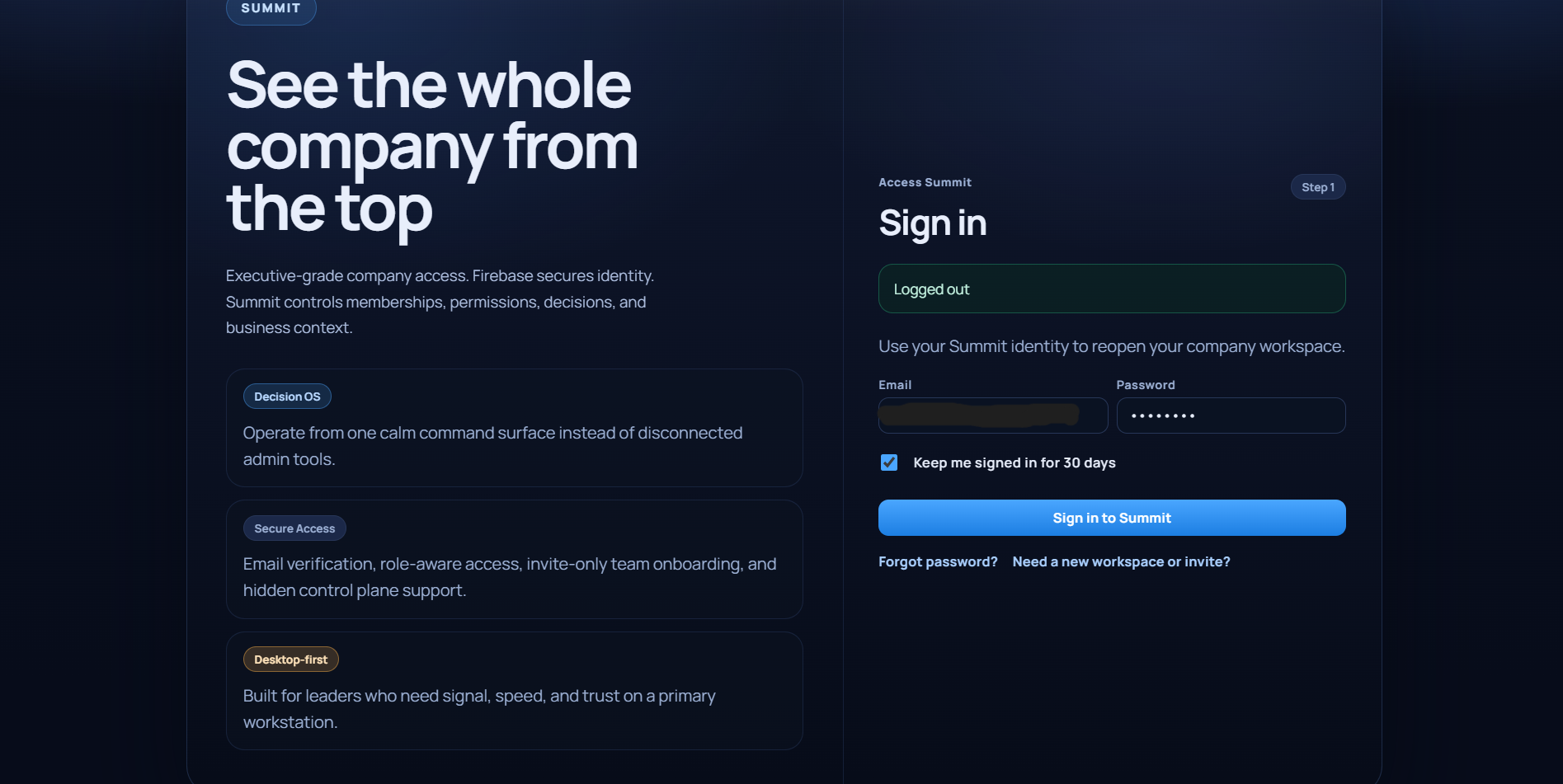
Access requires an invite code — no public registration. Identity is verified before any workspace is accessible.